Integrating Floral Swirls Decorative Frame Vector Assets into Professional Design Workflows
In the fast-paced environment of digital content creation, efficiency often determines the quality of the final output. Whether you are a freelance graphic designer, a small business owner managing your own marketing materials, or an educator preparing engaging handouts, the ability to quickly access high-quality visual assets is crucial. This is where the Floral Swirls Decorative Frame Vector collection becomes an indispensable resource. Unlike raster images that lose clarity when resized, vector graphics maintain their sharpness at any dimension, making them ideal for diverse applications ranging from social media posts to large-format print banners.
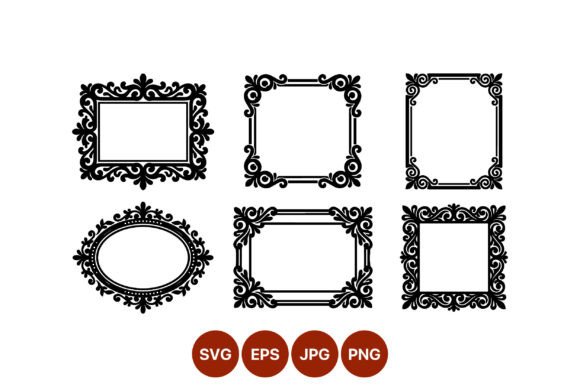
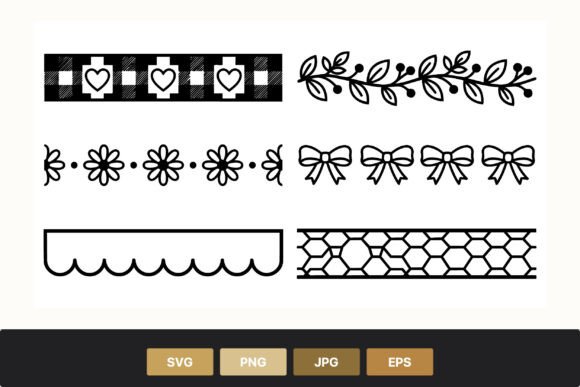
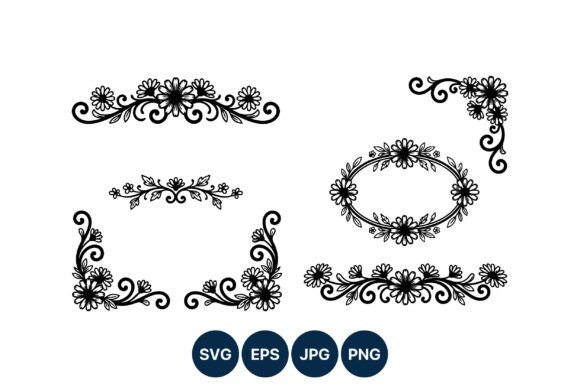
The specific appeal of this asset pack lies in its elegant line design, featuring black and white floral swirl frames, corner borders, and circular ornaments adorned with daisies and leaves. The high-contrast aesthetic ensures versatility, allowing these elements to blend seamlessly into minimalist modern layouts or serve as striking focal points in vintage-inspired designs. Understanding how to integrate these vectors into your existing workflow can significantly reduce production time while elevating the professional polish of your projects.
Preparation and File Management
Before diving into the creative process, proper organization of your digital assets is essential. When you download the Floral Swirls Decorative Frame Vector package, you receive a ZIP folder containing multiple file formats: SVG, PNG, JPG, and EPS. Each format serves a distinct purpose within the design ecosystem, and knowing when to use which can streamline your workflow.
- SVG (Scalable Vector Graphics): Ideal for web design, UI elements, and cutting machines like Cricut or Silhouette. These files are lightweight and code-based, ensuring crisp rendering on screens of all resolutions.
- EPS (Encapsulated PostScript): The industry standard for professional printing and advanced editing in software like Adobe Illustrator or CorelDRAW. Use EPS when you need to manipulate individual anchor points or prepare files for commercial offset printing.
- PNG (Portable Network Graphics): Best for quick drag-and-drop usage in tools like Canva, PowerPoint, or Photoshop where transparency is required. The high-contrast black lines on a transparent background allow for immediate layering over photos or colored backgrounds.
- JPG (Joint Photographic Experts Group): Suitable for previews or simple documents where file size is a concern and transparency is not needed.
Extract the ZIP folder immediately upon download and organize the files into subfolders by format. This initial step saves valuable minutes during tight deadlines, preventing the frustration of searching for the correct file type mid-project.
Strategic Implementation in Design Projects
The utility of black and white vector art extends far beyond mere decoration. These floral swirl frames and corner borders can structure information, guide the viewer’s eye, and establish a cohesive brand identity. Here is how you can effectively incorporate these assets into various stages of your creative process.
Enhancing Brand Consistency
For entrepreneurs and marketers, maintaining visual consistency across platforms is vital for brand recognition. The elegant line design of the daisies and leaves offers a neutral yet sophisticated aesthetic that complements a wide range of color palettes. By using the same Floral Swirls Decorative Frame Vector elements across your business cards, email newsletters, and social media headers, you create a unified visual language. Because the artwork is 100% vector, you can recolor the lines to match your brand guidelines exactly without losing quality. This adaptability ensures that your decorative elements never look out of place, regardless of the medium.
Streamlining Educational and Editorial Layouts
Educators and publishers often struggle with balancing text density and visual engagement. Corner borders and circular ornaments provide a structured way to highlight key information, such as quotes, definitions, or important notices. Instead of creating custom shapes from scratch, you can insert the pre-made SVG frames into your document layout. The high-contrast black lines ensure readability even when printed in grayscale, making these assets perfect for worksheets, textbooks, and academic journals. Furthermore, the scalability of the vector files means you can adjust the frame size to fit any text box perfectly, eliminating the need for awkward cropping or stretching.
Optimizing for Digital and Print Production
One of the most significant advantages of using vector art is the seamless transition between digital and print mediums. A design created for a website banner can be instantly repurposed for a physical flyer without any loss in resolution. When preparing files for print, always use the EPS or SVG versions to ensure the edges remain sharp. For digital use, particularly on websites, SVGs offer superior loading speeds compared to high-resolution PNGs. This dual compatibility makes the Floral Swirls Decorative Frame Vector pack a cost-effective solution for businesses that operate both online and offline.
Technical Compatibility and Editing Tips
To maximize the potential of these assets, it is helpful to understand how they interact with common design software. Most modern design platforms support SVG imports, but the level of editability varies. In professional tools like Adobe Illustrator or Inkscape, you can ungroup the elements to modify individual leaves or swirls. This allows for custom compositions, such as combining a corner border from one frame with a circular ornament from another to create a unique layout.
If you are using user-friendly platforms like Canva or Microsoft Word, the PNG files are your best option. Ensure that you select the version with a transparent background to avoid white boxes appearing around your designs. For users working with cutting machines for physical crafts, the SVG format is essential. The clean lines of the floral swirls ensure smooth cuts, reducing material waste and machine errors. Always check the path integrity of the SVG file before sending it to the cutter, simplifying complex paths if necessary to improve performance.
Quality Control and Long-Term Value
Investing in high-quality vector assets pays dividends over time. Unlike low-resolution stock photos that may appear pixelated on high-density displays, the 100 vector SVG and EPS files in this collection guarantee sharp results at any size. This future-proofs your designs, ensuring they remain professional-looking as display technologies evolve. Additionally, the timeless nature of black and white line art means these frames will not go out of style quickly, offering long-term usability for your project archive.
When integrating these elements, pay attention to visual balance. The intricate details of the daisies and leaves should complement, not overwhelm, the main content. Use the corner borders to frame text blocks subtly, leaving ample white space to maintain readability. For circular ornaments, consider using them as bullet points or icons to break up long paragraphs, enhancing the scannability of your content.
Conclusion
The Floral Swirls Decorative Frame Vector collection is more than just a set of decorative images; it is a versatile tool that enhances efficiency, consistency, and quality in design workflows. By understanding the specific strengths of each file format and strategically applying these elegant line designs, you can elevate your creative output across various mediums. Whether you are designing a brand identity, preparing educational materials, or creating social media content, these high-contrast vector assets provide the flexibility and professionalism needed to succeed in today’s competitive digital landscape. Proper organization, thoughtful integration, and attention to technical details will ensure that these resources become a staple in your creative toolkit.